

Professional WiFi, designed around your home.
Some homes need WiFi that simply has to work. UniFi is Ubiquiti's professional WiFi range. We design a bespoke system for your home and link every unit on two radio bands at once, so there are no cables to run through your walls. Choose the Dream Router 5G Max and your home stays online when the fibre goes down.
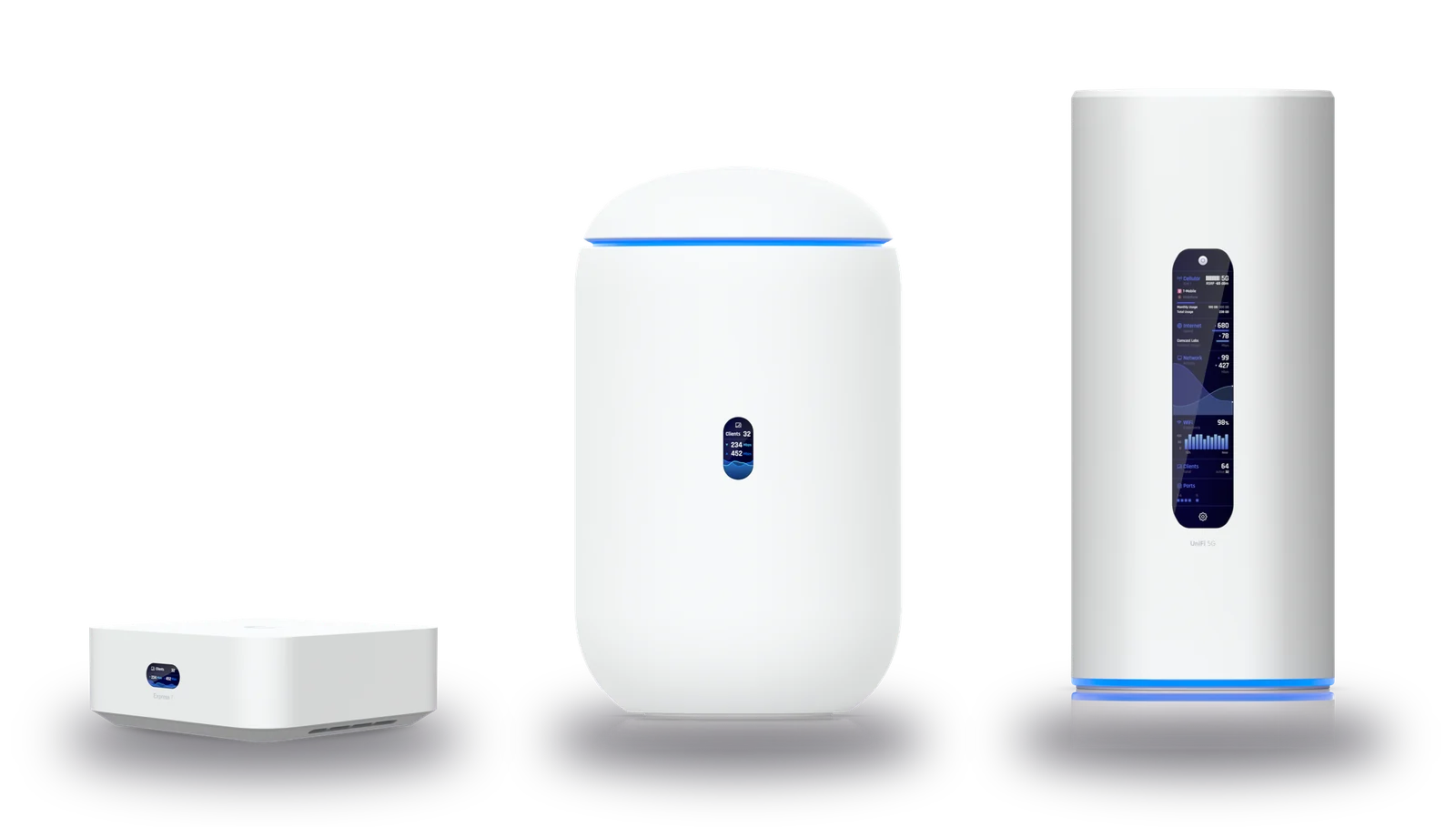
- WiFi 7on 2.4, 5 and 6 GHz
- 5.7 Gbpstop radio speed on 6 GHz
- 2 bandsbetween every unit
- 5Gfailover on the 5G Max
Everything a demanding home needs
UniFi is the equipment offices and hotels run on. We choose the right pieces for your home, set them up and test every room.
Two bands between every unit
Each unit links to the next on 6 GHz and 5 GHz at the same time, so the link carries more and keeps going when one band is busy.
No cables through your walls
The units link wirelessly. Each one needs only a plug point, so there's no drilling, no trunking and no mess.
Online when the fibre isn't
The Dream Router 5G Max moves your home onto 5G cellular by itself when the fibre goes down and moves back when it returns.
Your whole network in one app
See every unit and every device, run a guest network and get an alert if anything goes offline, all from the UniFi app on your phone.
Security built in
Every UniFi router checks your traffic for known threats as it passes, at up to 2.3 Gbps. It also keeps guests apart from your own devices.
Room to grow
Add a satellite or a switch whenever you need one. It joins the same system and shows up in the same app.
Two bands at once, between every unit
Most mesh systems link their units over one band. UniFi WiFi 7 units use Multi-Link Operation (MLO) to link over 6 GHz and 5 GHz at the same time, which Ubiquiti calls Mesh STR MLO.
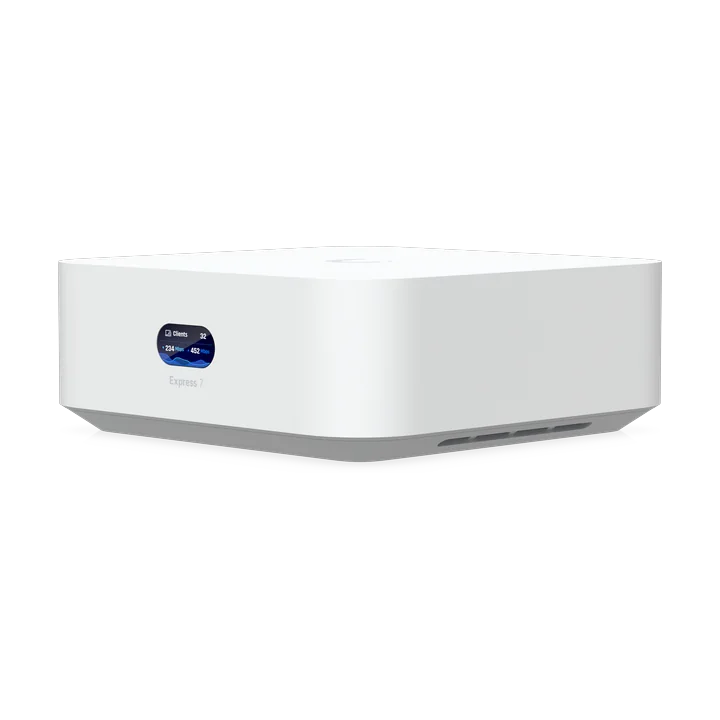 Express 7Satellite
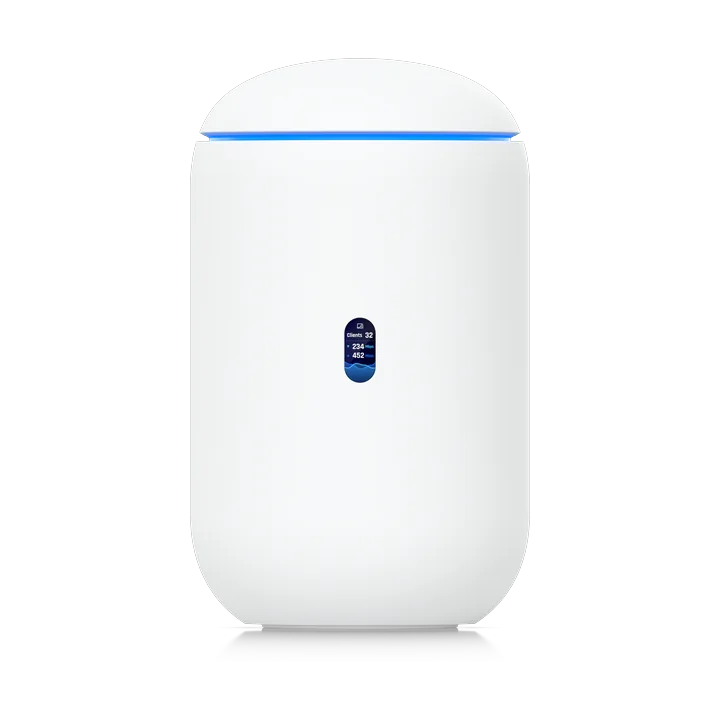 Dream Router 7Router, by your fibre boxExpress 7Satellite
More speed between units
STR stands for simultaneous transmit and receive. A unit can send on one band while it receives on the other, so the two bands add up and neither waits for the other.
Stable links
If a wall or a neighbour's WiFi slows one band, your traffic carries on over the other without dropping.
Placed for your home
We place each unit where its links are strongest and test the speed in every room before we leave.
Radio speeds are Ubiquiti's figures for each band. Real speeds depend on distance and walls, which is why we plan where every unit goes.
When the fibre goes down, your home stays online
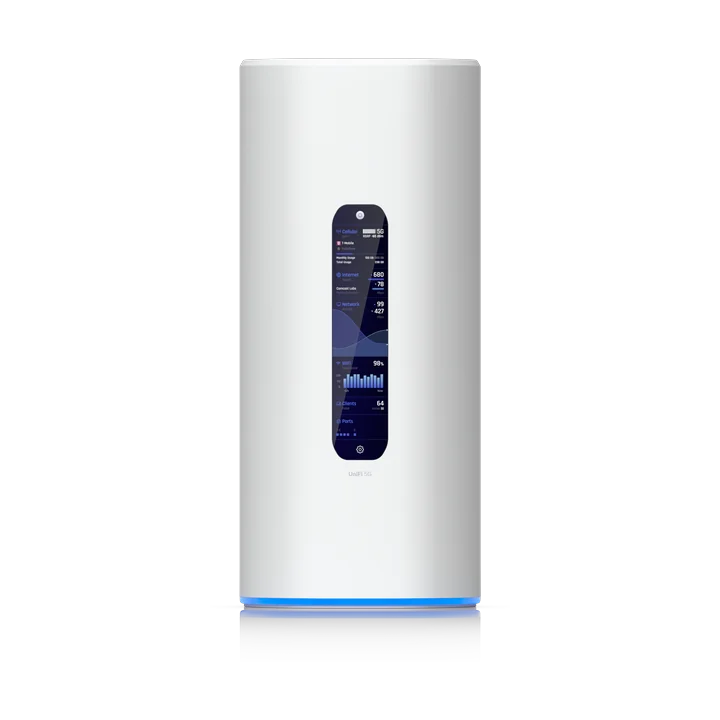
Fibre lines get cut and repairs can take days. The Dream Router 5G Max has 5G built in. It keeps an eye on your fibre and when the line drops it moves your home onto 5G cellular by itself.
- 1The fibre drops
A cable is cut or your internet service provider (ISP) has an outage.
- 25G cellular takes over
Your home moves onto 5G cellular automatically and your network stays online as normal.
- 3Back to fibre
When your fibre comes back online, the router seamlessly switches back to it.
It takes a SIM card or an eSIM with data from any South African mobile network. We'll help you choose a plan on the call.
From estimate to installation
Every UniFi system is designed for the home it goes into, so it starts with a conversation.
- 1
Build your system
Choose your router, your satellites and what you'd like to plug in. We email you the estimate straight away.
- 2
A free call
We call you to talk through your home, your walls and how you use your WiFi, then design the system with you.
- 3
Your quote
You get a formal quote by email. Pay by EFT or with a secure payment link and we book your installation.
- 4
Installed and tested
We install every unit, set up your network and the UniFi app and test the signal in every room before we leave.
Build your UniFi system
Choose your components and we'll email you an estimate. The final design and price follow a free call with us.
Choose your router
It plugs into your fibre box and is your first WiFi unit. All three are WiFi 7 on three bands.
Add satellites
Each satellite is a UniFi Express 7 that links to your router on 6 GHz and 5 GHz at once.
Ubiquiti rates each unit at up to 160 m² in the open. Walls bring that down, so most homes need two or three satellites.
UniFi Express 7 satellites
R4,595 each
Wired devices
A cable still gives a TV, a games console, a computer or a network drive its steadiest connection.
A UniFi Device Bridge Switch in that room links to your router wirelessly and gives it eight network ports, with no cable back to the router.
Get your estimate by email
We'll email it to you as a PDF and call you to talk it through.
Three routers compared
Each one is a WiFi 7 unit and the brain of your network.
| Feature | Express 7 | Dream Router 7 | Dream Router 5G Max |
|---|---|---|---|
| WiFi | WiFi 7, three bands | WiFi 7, three bands | WiFi 7, three bands |
| Spare network ports | 1 | 3 | 3 |
| Internet port | 10 GbE | 2.5 GbE or 10G SFP+ | 2.5 GbE or 10G SFP+ |
| 5G failover | No | No | Built in |
| Size | 117 × 117 × 43 mm | 110 mm wide, 184 mm tall | 110 × 110 × 250 mm |
| Price | R4,595 | R6,895 | R12,095 |
Good to know
Why choose UniFi over a Cudy system?
Our Cudy WiFi 7 packages suit most homes and come at a fixed price you can order online. UniFi is for homes that want more: a system designed for the house, wired devices in any room, 5G failover and the control of a professional network.
Do you run any cables?
No. The units link to each other wirelessly, so each one needs only a plug point. Wired devices still plug in with their own short cable. If your home already has network cables in the walls, we can use them too.
What does Mesh STR MLO mean?
MLO is Multi-Link Operation, a WiFi 7 feature that lets two units link over more than one band at once. STR stands for simultaneous transmit and receive. UniFi units link over 6 GHz and 5 GHz together, so the link between them is faster and keeps going if one band is busy or congested.
How does 5G failover work?
The Dream Router 5G Max keeps an eye on your fibre. If the line goes down, it moves your home onto 5G cellular by itself and moves back when the fibre returns. It needs a SIM card or an eSIM with data and 5G or 4G signal at your home, which we check on the call.
Why is the price an estimate?
Every home is different. On the call we talk through the size and layout of your home, your walls and everything you'd like to connect. Then we send you a formal quote with the final price. Installation starts at R6,999 and a large system can cost more.
How do I pay?
Once you're happy with your quote, you pay by EFT or with a secure payment link and we book your installation.
Which areas do you cover?
We install UniFi systems in Somerset West, Strand, Gordon's Bay and Stellenbosch. In Cape Town we cover Constantia, Bishopscourt, Newlands, Upper Claremont, the V&A Waterfront and the Atlantic Seaboard from Green Point to Camps Bay.
Can I look after the system myself?
Yes. The UniFi app on your phone shows every unit and every device. You can run a guest network, see what's using your internet and get an alert if anything goes offline.
Let's design your system
Build your system above for an estimate by email or talk to us first.